Think outside the cardboard.
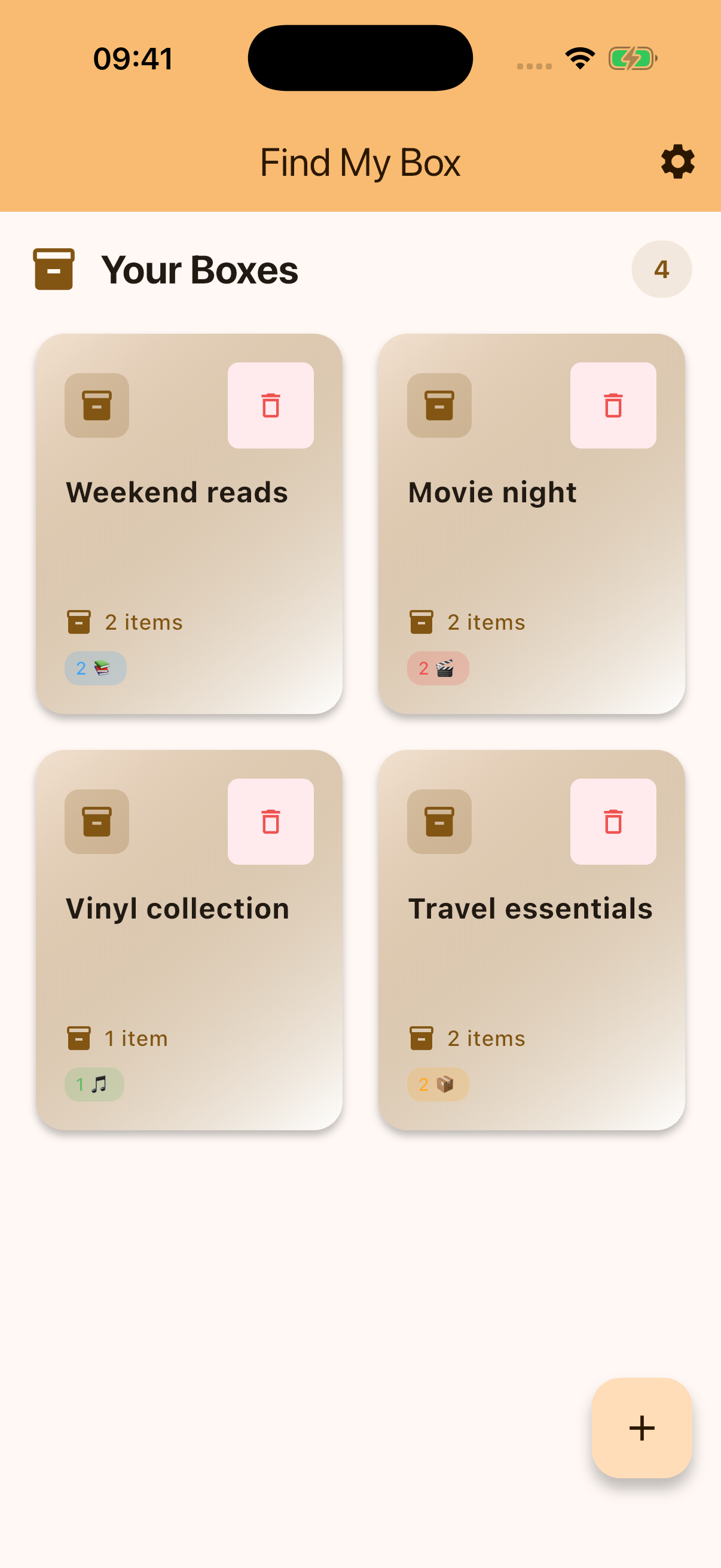
Create named boxes for rooms, collections or occasions. “Weekend reads” works just as well as “Garage shelf.”
 Find My Box
A home for everything you keep
Books, movie nights, that drawer full of useful things. Give them a place in Find My Box, and keep track of what’s inside.
Your boxes. Your collections. A simpler way to keep track.
Less clutter in your head
From a shelf of favourites to the boxes waiting for your next move, build an inventory that makes sense to you.
Create named boxes for rooms, collections or occasions. “Weekend reads” works just as well as “Garage shelf.”
Add books with authors and publishers, movies with formats, and music with artists. There’s a place for everyday items, too.
See item counts and collection types on your boxes, then open one to browse its contents.
Your catalogue is stored on your device. Connect Google Drive in Settings when you want cloud sync, with a visible sync status.
Make a little room
Start with one collection. The rest can follow.
A room, a shelf, a collection. Choose something you’ll remember.
Choose books, movies, music or general items, and fill in the details.
Open a box whenever you need to check what you’ve tucked away.
A few useful details
No. Your catalogue is stored locally on your device. Google Drive sync is optional and can be configured in Settings.
Books, movies, music and general items. Each type has its own relevant details, such as an author, artist or format.
Yes. Name boxes however you like: by room, hobby, shelf, or a collection such as your favourite records.
Help shape Find My Box
Try the app and share what works, what doesn’t, and what you’d love to see next. Apply below to be considered for beta testing.